


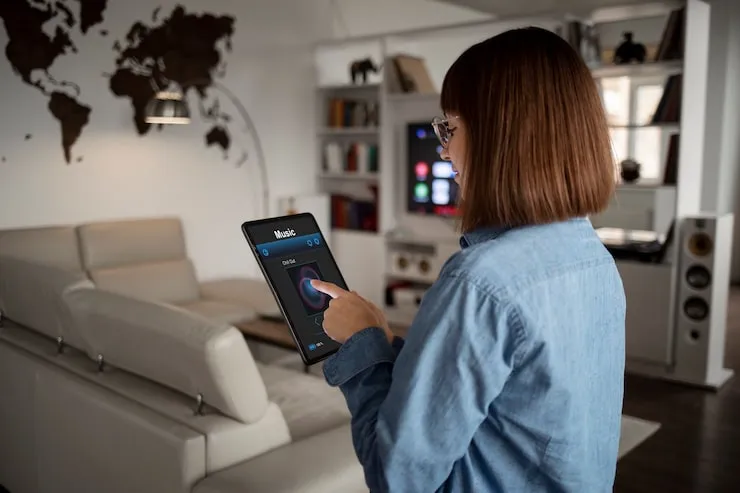
Ever wish your lights would just turn on by themselves when you walk in? Or that you could see who's at your door when you're not home? You're not the only one. Smart home installation isn't just for tech geeks anymore. It's for anyone who gets annoyed fumbling for light switches or wants life to run a little smoother.
Think of this as a home upgrade you can actually see and feel—without getting out a hammer. We'll walk through what you really need, what works, and the mistakes you'll want to dodge. By the end, you'll know exactly how to get started, what to expect, and why your home will feel totally different (in a good way).
What Is Smart Home Installation, Really?
Smart home installation means setting up tech that connects and controls stuff around your house. This can be as simple as a smart plug for your coffee maker or as fancy as a whole-house system that lets you adjust everything from your phone. The goal? Less hassle, more control, and a bit of fun showing off when friends visit.
- Smart home devices work with your voice, smartphone, or even simple schedules.
- You pick what matters—like lights, locks, thermostats, or security cameras.
- Everything can work together if you choose the right setup.
It's not about turning your house into a spaceship overnight. It's about making daily life easier bit by bit.
Why Bother With Home Automation?
Let's be honest: nobody needs a talking fridge. But some smart home tech makes a real difference. It can save energy, boost safety, and turn home into a place that just 'gets' you.
- Lights out when you leave? Easy. No more $300 electric bills.
- Forgot to lock the back door? Lock it with your phone during your meeting.
- Wake up to the smell of coffee because your smart plug knows your schedule.
- Get an alert if a window opens when you're away.
Most people start with one device—like a smart speaker or doorbell—and add on. There's no shame in starting small. Even one gadget can be a game-changer.
How Do You Actually Set Up Smart Home Devices?
Here's the part that freaks people out: the wires, the apps, the passwords. Good news—it doesn't have to be scary. If you can install a phone app and screw in a lightbulb, you can get started.
- Pick your first device (start simple: smart bulb, smart plug, or video doorbell).
- Download its app and follow the setup steps. Most take less than 10 minutes.
- Connect it to your Wi-Fi. Passwords make or break this step—write it down!
- Test it out. If something doesn't work, check your Wi-Fi signal or reboot the device.
Pro tip: Don't open every box at once. Start with one, get it working, then add more over time. You'll build muscle memory and confidence.
Which Smart Home System Should You Choose?
Ready for the tough part? Picking your "hub"—the brain of your setup. The three big players are Google, Amazon, and Apple. Your choice mostly depends on what phone you use or what devices you already have.
- Google Home: If you use Android, it's smooth. Great for voice and routine lovers.
- Amazon Alexa: Wide device support, awesome for smart speakers and timers.
- Apple HomeKit: iPhone fans, this one's for you. Apple magic meets security.
Mixing brands works sometimes, but sticking with one usually means fewer headaches. If it doesn't say "Works With Alexa/Google/Apple," check before buying.
Common Mistakes When Setting Up Smart Home Tech
- Buying a bunch at once (seriously, slow down!).
- Ignoring Wi-Fi speed—it powers everything. Weak Wi-Fi, sad tech.
- Complex passwords forgotten (no shame in keeping a safe list somewhere).
- Burying your hub in a closet where it can't 'hear' you.
The first time I tried home automation installation, I set up three devices at once, then spent two hours pulling my hair out because my router couldn't handle it. Start small so you can fix stuff easily.
Real-Life Benefits: Does Smart Home Technology Make a Difference?
A friend told me he dodged a break-in because his smart home camera sent him a clip of someone sneaking around his backyard. Another uses routines to wake up with soft lights and gentle music—no more blaring alarms. These are small changes, but once you try them, they feel like magic.
- More free time (no more checking every door before bed)
- Less stress (devices handle the routine stuff)
- Better security and peace of mind
What About Privacy and Security?
One worry is legit: smart home systems see a lot. Pick brands with strong privacy policies and set strong passwords. Always do software updates—they plug security holes. If you don't want something listening, mute its mic. You control how much you share.
How to Add More Devices Without Losing Your Mind
Once you get the basics, adding new smart home devices gets easier. Here's how to keep your setup simple:
- Stick to one "family" of devices if you can.
- Label everything—nobody remembers which bulb is "lamp 7."
- Use the routines feature to automate things (like bedtime or morning owls).
- Check compatibility before buying the next cool gadget.
Think of your smart home setup like a toolbox. Add tools as you need them. No rush.
Is Smart Home Installation Worth It?
If you dread technology, the first setup might feel tricky. But most people are surprised by how quickly they pick it up. After a few days, it just feels like the new normal.
- Small upgrades like smart plugs make a big impact for low cost.
- Full home automation takes more time, but you don't have to do it all at once.
- Peace of mind, energy savings, and cool tricks are real benefits.
Try one thing. If you love it, add more when you're ready. Your home, your pace.
Final Thoughts: Making Your Smart Home Your Own
This isn't about filling your house with gadgets you'll never use. It's about making daily life run smoother. Whether you start with lights or go for a whole system, smart home installation puts you in charge. Each new device should feel like help, not hassle.
Take a look around your home and ask, "What annoys me most?" That's the best place to start. You'll be surprised how quickly small changes add up to a home that feels...well, smarter.
FAQs About Smart Home Setup
- How hard is it to set up smart home devices?
It's easier than it looks. Most devices come with step-by-step apps. You'll download, connect to Wi-Fi, and follow simple instructions. If you can set up a new phone, you can handle this. If you hit a snag, reset and try again—nobody gets it right the first time every time. - Do smart homes need special wiring?
Nope! Most smart home devices work over Wi-Fi and plug into regular outlets. You don't need an electrician unless you're installing built-in smart switches or more complicated stuff. For basic gadgets and plugs, anyone can set it up in minutes. - What's the best starter smart home device?
Start with something you'll use every day: a smart bulb, smart plug, or video doorbell are all good picks. They show you the benefits fast without making things complicated. Once you feel comfortable, you can add more smart home technology at your own pace. - Can I connect different brands together?
Sometimes, yes—if they share the same platform (like Alexa or Google). But mixing brands can cause headaches if things aren't compatible. Sticking to one platform helps everything run smoother. Always check for "Works with" labels before buying new smart home systems or devices. - Is smart home technology safe from hacking?
It's as safe as you make it. Use unique, strong passwords for your devices and Wi-Fi. Turn on two-factor authentication if available. Keep your software updated. And if you don't want a device recording, mute its mic or camera when not in use. Being a little careful goes a long way.










