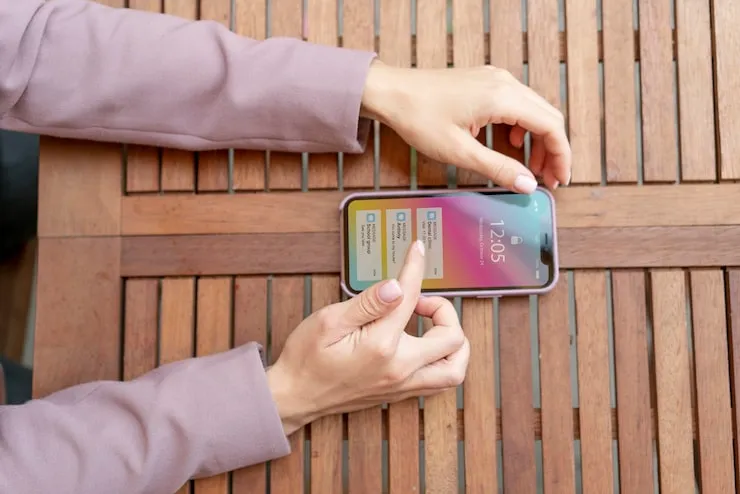
You know that feeling when you unlock your phone, and the screen just looks... wow? Not all displays are created equal. Some smartphones out there have a screen so sharp and clear, your old phone feels like a blurry memory. If you've ever wondered what really makes the best display smartphone, stick around—some of the reasons are way cooler (and weirder) than you think.
What Makes a Smartphone Screen the Best?
Most people think it’s just about colors or size, but the top smartphone screens are hiding plenty of tech under the glass. Here's what really sets them apart:
- Resolution: More pixels = sharper picture. When you hear "high resolution smartphones," it's about fitting more detail into the same space.
- Display Type: OLED smartphone displays don't just sound fancy—they make colors pop and blacks look deep, almost like they're painted on.
- Refresh Rate: Ever noticed how some phones just feel smoother? That’s refresh rate, measured in hertz (Hz). Higher means less blur, better scrolling, and smoother gaming.
- Brightness: Not all displays are easy to read in sunlight. The best ones crank up the brightness so you don’t have to squint.
- Durability: The newest glass tech makes some screens way harder to scratch or shatter.
Everyone wants a crisp, colorful screen. But the secret perks? Those are where things get interesting.
Secret Perks You Didn’t Know Your Phone Display Has
- Always-On Display: Quick info—like the time, battery, and your latest texts—right on your screen, even when your phone looks "off". Super handy if you’re the type to constantly check notifications.
- Eye Comfort Modes: Some phones can lower blue light or even turn the screen a bit yellow at night so your eyes don’t get fried before bed.
- Adaptive Brightness: The screen gets brighter or dimmer in real time, based on where you are. You never have to squint outside or shield your phone in the dark.
- Haptic Touch: Little vibrations under your fingers as you tap, swipe, or type—makes everything feel more real.
Once you try these little extras, it’s hard to go back. They're not just showing off—they genuinely make the phone nicer to use all day long.
OLED, AMOLED, LCD: Which One Will You Love Most?
Here’s the no-nonsense difference:
- OLED/AMOLED: Top-of-the-line. Each pixel lights up by itself, which means wild contrast and those deep, inky blacks. Battery-friendly when you use dark mode.
- LCD: Backlit, so blacks look more “dark gray” than true black. But LCDs can be cheaper and sometimes brighter.
If movies or gaming matter to you, OLED will spoil you. But lots of budget phones rock an LCD, and for some folks, that’s good enough. Think about what you actually use your phone for—not just what’s on the specs chart.
Why Refresh Rate Matters (Even If You're Not a Gamer)
Refresh rate is how often the screen updates every second. Fancy phones are going 120Hz or higher. Fast motion in games? Super smooth. Just scrolling Twitter? Also silky. Once you get used to it, older screens with lower rates feel laggy.
- 60Hz: Standard basics. Good enough for most things.
- 90Hz or 120Hz: Moves like butter. Text glides. Games pop.
Higher rates can drain your battery faster, but many phones switch to “smart” refresh rates—saving power by going lower when you don’t need the extra speed. If you watch videos or scroll a lot, you’ll notice the difference more than you expect.
Brightness and Color Are a Big Deal Too
Ever tried using your phone on a bright, sunny day and couldn’t see a thing? The best display smartphones aren’t just about a pretty screen indoors. Top screens crank the brightness so you can see photos, videos, and texts clearly—even outside.
And color? Some displays can stretch the color range so much, photos and movies pop like you're at the theater. If you love snapping pics or binging videos, that’s a game changer.
What About Battery Life?
A sharper, brighter screen sounds great…but doesn’t that kill your battery? Sometimes, yes. But it depends on how clever the phone is. Dark mode, adaptive refresh rates, and newer display tech can all help make your battery last a bit longer.
- Black backgrounds on OLED save power.
- Adaptive brightness uses less juice indoors.
- Higher refresh means more power used, but only when it’s needed.
You might sacrifice a sliver of battery for that jaw-dropping display, but most top phones have ways to balance things out so you won’t regret it.
How to Pick a Phone With the Best Display (For You)
- Check what bothers you most. Bad glare in sunlight? Go for something with killer outdoor brightness ratings.
- Watch tons of videos? Prioritize color accuracy and sound, not just resolution.
- Scroll or game a lot? 120Hz or higher refresh rates will spoil you.
- Worried about battery? OLED with adaptive refresh is your best friend.
- On a budget? Don’t feel pressured by tech jargon. Cheap phones can still have pretty decent screens if you look at recent models.
Brands love to hype up their latest screen as the best thing ever. But trust your eyes. Try different phones in a store if you can. What looks amazing to you might be "meh" to someone else.
Common Screen Problems (and How to Dodge Them)
- Screen burn-in: Mostly happens with OLEDs if you leave the same image on for hours every day. Newer phones have tricks to avoid it, but don’t set your home screen to something that never changes.
- Scratches: Even the "hardest" glass can scratch. Screen protectors are cheap insurance.
- Blue light headaches: If your phone gives you eye fatigue, try switching on the comfort mode after dark.
- Ghost touches: Once in a while, the screen may freak out and register touches by itself. Restarting usually fixes this.
Every display has trade-offs, but knowing them can save you cash and future headaches. Don’t ignore small annoyances—they add up over time.
Quick Recap: Is It Worth Chasing the Best Display?
If your phone is your main screen (and for most of us, it is), then yes—upgrading can absolutely be worth it. The smoothness, sharpness, and handy perks of the best display smartphone turn tiny tasks into genuinely nice moments. But there’s no single "best" for everyone. Lists and spec sheets are great, but at the end of the day, go with what feels right to your eyes and your daily habits.
Set your budget, figure out what annoys you on your current phone, and pick one that fixes those problems. You’ll notice the upgrade every single day.
FAQ
- What phone has the best display in 2025? The answer changes fast, but popular choices in 2025 combine high resolution, OLED panels, and smooth 120Hz refresh rates. Some big names stand out, but the best one is the screen you like best—try them out if you can.
- Does screen size matter for display quality? Bigger screens show more, but it’s about pixel density too. A big phone with low resolution looks fuzzy. A smaller phone with top smartphone screens can look incredibly sharp and clear.
- Are OLED smartphone displays better than LCD? Most of the time, yes. OLED gives you better contrast, deeper blacks, and can save battery with dark mode. But LCDs can be super bright and still look good, especially on budget phones.
- How does refresh rate affect my phone experience? A high refresh rate like 120Hz means your phone feels way smoother—scrolling, gaming, and even simple stuff like unlocking. Once you get used to it, it’s tough to go back to 60Hz.
- Will a higher resolution drain my battery faster? Usually, more pixels use a bit more power. But smarter chips and adaptive screen settings help a lot. Unless you're watching tons of 4K videos all day, you probably won’t notice a huge difference.
- Why do some high resolution smartphones have grainy photos or videos? That’s not the display’s fault. Photos and videos that look blurry or grainy are usually because of the camera or a low-quality image, not your screen.