Why Everyone's Talking About Remote Learning Resources
Remember trying to do homework at your kitchen table in your pajamas? That's remote learning in a nutshell, except now schools have actual tools to make it less chaotic. Remote learning resources take the stress out of learning from home. But picking the right ones is the key. This guide lays out what works, what doesn't, and how to use them without losing your mind. Stick around and you'll pick up real answers, not just buzzwords.
What Counts as a Remote Learning Resource?
Anything that helps you learn outside a regular classroom fits here. Think digital teaching tools, apps for video calls, websites with practice tests, and PDFs with instructions. They're not just for the tech-savvy. Even simple printable worksheets are remote learning resources, and they work for tons of kids. If it helps you learn without sitting at a school desk, it counts.
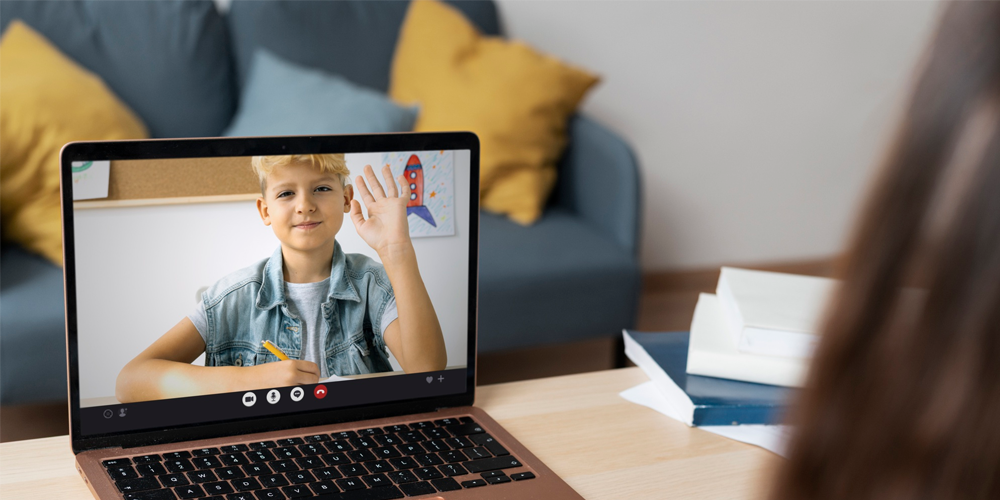
- Apps for real-time video classes (like Zoom or Teams)
- Online whiteboards for group work
- PDF worksheets and handouts
- Quizzes or games that teach new skills
- Instructional videos on demand
The right combo depends on your situationwhat's easy for one family might be a nightmare for another. What matters is finding stuff that actually helps, not just what's new and shiny.
Do Remote Learning Resources Actually Help?
Short answer: Yes, but it's all about how you use them. The big win is flexibility. If soccer practice runs late or a snowstorm hits, learning doesn't stop. These tools let you pick up right where you left off. They also give students more controlwatch a lesson twice, pause when you need, move at your speed. But heres the part schools dont always talk about: too many tools can be confusing fast. Ever tried to juggle five different logins just to hand in one worksheet? Thats the downside. Less is often more.
Which Online Education Tools Are a Must-Have?
There's a sea of apps out there. Some are worth your time, some aren't. Here are real standouts that most students and teachers rate high:
- Simple communication: Video chat apps that don't break or buffer forever
- Assignment management: Clear platforms where everythings in one place (think Google Classroom)
- Interactive lessons: Sites with practice problems and instant feedback
- Organized note-taking: Digital notebooks or apps that sync across devices
- Fun extras: Math and reading games make it less boring
Dont get distracted by what has the most features. The most important thing is that students and teachers can use it without calling tech support every five minutes.
Common Mistakes With Distance Learning Materials (And How to Avoid Them)
Even smart students (and parents) run into problems with remote learning. The biggest mess-ups?
- Using five different apps for one simple assignment
- Never checking if a website actually works on your devices
- Forgetting about screen time limitskids can get burned out fast
- Assuming parents are tech experts (they arent and shouldnt need to be)
The fix: Pick two or three solid distance learning materials that work for your age group and stick with them. Always test them on a phone and a computersome sites refuse to cooperate on certain devices. Make sure it's easy for adults to get help if something breaks.
Smart Ways to Organize Virtual Classroom Resources
When everyone shares the same space and Wi-Fi at home, chaos is easy. Organization makes all the difference. What works:
- Create one digital folder per student for each subject
- Use color coding or emojis to spot assignments quickly
- Set up a daily routineschoolwork first, fun apps after
- Make a printed schedule for the fridge if youre old-school
Online resources don't help much if no one can find anything. The secret is a system. Even something as basic as Math = Blue Folder, Reading = Red Folder can keep headaches away.
How Can Teachers Make the Most of E-Learning Resources?
Teachers have a tough job juggling in-person and online tools. The best move: focus on clarity. Share instructions in more than one waypost them as text but also record a quick video. Let kids ask questions one-on-one if theyre shy about speaking up in a crowd. Mix things up: Use games, videos, and old-fashioned worksheets.
- Keep resources in the same spot online every week
- Give short, clear instructions
- Check in with students oftenwithout it feeling like a pop quiz
- Make space for fun and sharing, not just tests
Every class is different, but small tweaks can make online learning less stressful and a lot more rewarding.
How Parents Can Keep Kids on Track (Without Losing It)
Lots of parents arent trained teachers, but you can support your kids with simple moves:
- Set regular school hourseven when learning at home
- Check the days plan each morning with your child
- Take tech breakssnacks and walks count as learning too
- If you get stuck, contact the teacher early instead of waiting
Remember, the goal isnt to do it all; its to give kids a chance to learn and not fall behind. Celebrate the small winslike remembering to charge the laptop.
Limiting Screen Time When Everything's Online
This ones tricky. How do you limit screens when every assignment is online? Heres what works for most families:
- Use timers and breaks20 minutes on, 5 minutes off
- Turn off notifications during school hours so distractions dont pile up
- Mix online with offline assignmentsreading a book counts
- After classes are done, swap screens for hands-on hobbies
Balance isnt always perfect. Some days will be all Zoom, and thats OK. But trying for a routine helps kids (and adults) avoid digital burnout.
FAQ: Real Answers About Remote Learning Resources
- Q: Whats the best way to find free remote learning resources?
A: Start with your school or local librarythey often know the best free online education tools. If youre stuck, try searching by grade and subject to narrow it down. Always test out resources before you commit to using them for a full course. - Q: Can remote learning resources work for younger kids?
A: Yes, but keep it simple. Young kids do best with colorful, easy-to-click tools and video lessons under 10 minutes. Printables and video calls with the teacher make things easier for everyone at home. - Q: How do I use digital teaching tools if Im not great with tech?
A: Look for tools with clear guides or how-to videos. Ask teachers or other parents for recommendations. Dont be afraid to use just one or two apps at first; quality beats quantity every time. - Q: Are distance learning materials safe to use online?
A: Most are safe, but always check reviews and make sure the site is trusted. Avoid giving out personal info. Keep your software and devices updated for extra peace of mind. - Q: How can teachers keep students engaged in virtual classrooms?
A: Mix up lessonsuse videos, live polls, and group chats. Encourage students to share their ideas and make space for fun. Break big assignments into chunks so kids dont feel overwhelmed. - Q: Whats a quick tip for organizing e-learning resources?
A: Keep all important links and instructions in one main online folder. Label everything with clear names. Less confusion means less time wasted hunting for assignments or logins.
At the end of the day, remote learning doesnt have to feel impossible. Pick the right resources, keep it simple, and celebrate progress. Youll get the hang of it, one step at a time.