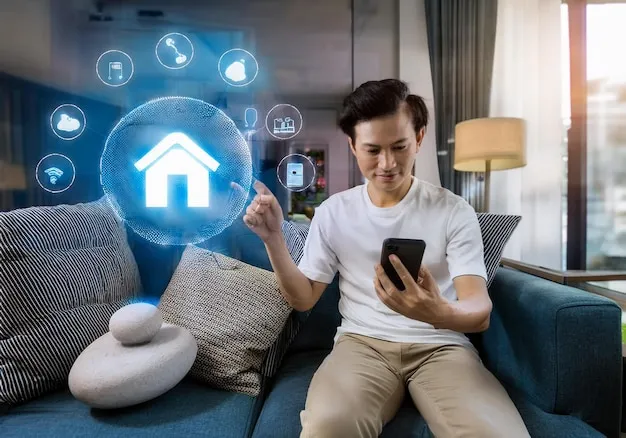
Let’s set the scene. You’re buried under blankets, halfway through a movie, and suddenly remember you left the kitchen light on. Do you get up, or can you just tap your phone? This is where smart home devices honestly shine. They take daily annoyances and turn them into tiny wins. If you’re overwhelmed by options and don’t want to buy tech you’ll never use, you’re in the right place.
What counts as a smart home device today?
In simple terms, a smart home device is anything in your house that talks to your phone, tablet, or voice assistant. Think lights you control from bed, thermostats that know when you’re gone, or plugs that turn anything old-school into something you can schedule from an app.
- Smart speakers: Play music, check the weather, or boss around other devices with your voice
- Smart displays: Show you recipes, security feeds, or control gadgets by touch
- Connected bulbs: Change color or dim without leaving the couch
- Plugs & switches: Let you automate coffee makers, fans, or lamps
- Thermostats: Set schedules or change temps remotely (goodbye, wasted energy)
- Security cameras & sensors: See what the dog’s up to, or get alerts when a window opens
Bottom line? If it saves time or fixes something that drives you nuts, it probably fits under smart home gadgets.
Why bother with smart home automation at all?
Not everything in life needs to be smart, but automation solves real problems. Hate coming home to a dark house? Want to stop fighting about the thermostat? Or just love the idea of saying, 'Lights out' and having it actually work? Small wins add up fast.
- It saves time (yes, even a few seconds count)
- You can use less power and cut your bills
- It’s safer—think instant notifications for leaks or intruders
- It reduces stress—set and forget your routines
True story: The first week with a smart plug, I set my coffee pot to start at 7am. Waking up to fresh coffee? 10/10 would recommend.
Which smart home devices are worth buying first?
This is classic overthink territory. Here’s a rule: Start with stuff you’ll use every day. The best smart home products are the ones that fit your life—not just the ones with five-star reviews.
- Smart speakers (Amazon Echo, Google Nest) for hands-free control and music
- Wi-Fi plugs to make any device smarter
- LED smart bulbs for easy mood lighting
- Video doorbells for peace of mind (and knowing when your pizza’s here)
- Smart thermostats for comfort (and to avoid arguments)
Start small. One device can make a real difference. Expand as you get comfortable.
How do you avoid buying stuff you’ll regret?
Tons of people buy every shiny gadget, then never use half of them. Here’s a smart home buying guide for normal people:
- Decide what bugs you at home—focus on real annoyances
- Stick to brands that play nice with what you already use (Google, Amazon, Apple all have pros and cons)
- Check privacy policies if you care about security
- Read real reviews (not just the five-star rave ones)
- Be wary of super cheap unknown brands—they might not last
One mistake to avoid: Don’t buy everything at once. Test one or two things first. Return what doesn’t work.
What are common mistakes with smart home gadgets?
- Not double-checking Wi-Fi compatibility (older routers can mess things up)
- Forgetting to set up two-factor security on devices (hackers love lazy passwords)
- Cluttering your phone with too many apps—all-in-one platforms help
- Buying flashy gadgets instead of things you’ll use all the time
I once bought a smart water sensor I never installed. Guess what—my laundry room flooded that spring. Lesson learned: Don’t collect gadgets you don’t use.
What does setup and daily life actually look like?
Good news: Most modern smart home automation setups are way less painful than they used to be. Most devices walk you through the setup in their own apps. You’ll need:
- Decent Wi-Fi that covers your whole space
- A phone or tablet to run the initial setup
- Account logins—yes, another password, sorry
- Some patience (but less than you think)
Once set up, you can control everything through either apps or voice commands. Some routines take a minute to set up—like scheduling lights or making the thermostat adjust for bedtime—but after that, it runs itself.
How do you keep things working (and not fight with your tech)?
This is the part most people ignore until they’re yelling at their speaker. Here’s what helps:
- Update device software each time you’re prompted
- Restart the router now and then—solves most weird problems
- Group devices (like all lights in your living room) for easy batch control
- If a gadget stops responding, try unplugging it and plugging it back in (classic IT fix, still works!)
If you’re still stuck, most brands have quick help guides built into their apps—so tech support isn’t just for emergencies.
What’s the real payoff?
Smart home devices don't fix everything, but they make small routines easier. No more stumbling around for a light. No arguing over who left the heat blasting. Fewer tiny annoyances. Start with one product and add more if you love it. The best smart home products fit around your life—not the other way around. You’ll wonder why you waited.
FAQs
- Q: What’s the easiest smart home device for beginners?
A: Start with a smart speaker or a Wi-Fi plug. You just plug it in, follow some simple app steps, and you’re done. Both are cheap, useful every day, and get you comfortable with smart home gadgets without feeling overwhelmed. - Q: Do smart home devices work with both iPhone and Android?
A: Most do, but always double-check the app requirements before buying. Bigger brands like Google or Amazon support both. Some off-brand devices might only work with certain phones, so it’s smart to check before you get started. - Q: Will adding smart home products mess up my Wi-Fi?
A: Usually no, if you have a solid router and good signal throughout your house. Lots of devices can slow things down if your Wi-Fi is already weak, so upgrading your router can help if you notice problems over time. - Q: Are there hidden costs with smart home gadgets?
A: Most devices work out of the box with no extra fees, but some security cams, doorbells, or storage for video may charge for cloud plans. Always check if you need a subscription for the full features before you buy. - Q: What if my power or internet goes out?
A: Your smart devices need power and Wi-Fi to work fully. If the power goes out, most won’t function except for battery-powered sensors. When your Wi-Fi’s back, everything should reconnect automatically. It’s good to have regular backups for things like security. - Q: How do I keep my smart home devices secure?
A: Use strong passwords and turn on two-factor authentication where you can. Update software and apps often. Avoid sharing login info and always buy devices from trusted brands. Taking small steps keeps your setup safer and headaches away.