


Why Are People Switching to Smart Home Security?
No one likes that pit-of-your-stomach feeling when you wonder if you locked the door. Or if the package on the porch is still there. That's why smart home security has become such a big deal. It's not just about protecting stuff—it's about peace of mind whenever you're away or tucked in for the night.
With smart home security, you can keep an eye on things whether you're at work, on vacation, or even just grocery shopping. These systems use smart locks, cameras, and sensors you can check from your phone. The real win? Smart home security takes stress off your plate and puts info in your hands fast.
Once you try it, you realize it's not about being fancy—it's about being in control. Nobody misses racing back home because they can't remember if they locked up.
What Goes Into a Smart Home Security System?
A lot of folks think smart home security is one gadget. It's more like a team. Here are the main players:
- Smart locks: Lock or unlock your door with your phone or a code. No more lost keys.
- Security cameras: See who's at the door, check on deliveries, or peek in when you're away.
- Motion sensors: Get alerts if someone steps inside when you're not home.
- Home automation: Set lights to turn on at sunset or when you approach—makes it look like someone's always home.
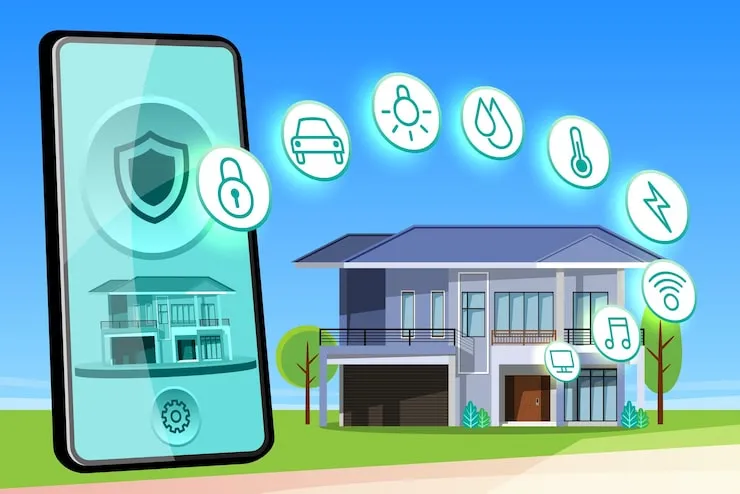
- Remote home monitoring: Use an app to check everything, from anywhere. It's like holding your house in your hand.
Mix and match to fit your life. Start small—maybe a camera or smart lock—and build up as you go.
How Hard Is It to Set Up Smart Home Security?
If tech makes you sweat, you're not alone. Setting up smart home security used to be a big job, but now most systems are designed for regular people, not engineers.
You can install smart locks without a toolbox. Most cameras just need a power outlet and Wi-Fi. Some setups walk you through each step on your phone. If you hit a snag, there are tons of videos and guides—plus, many companies will help you out if you call or chat.
- Don't overthink it. Start simple: 1-2 devices is enough to get a feel.
- Test each gadget before you rely on it. Better to find bugs now than after you leave on vacation.
- Keep passwords strong and software updated. This is your home's new front door.
The first time takes a little longer, but after that? Adding more stuff feels easy.
Are Smart Security Systems Actually Safe?
This is the main worry for a lot of people. If your home is connected to the internet, couldn't someone else get in? Smart home security is as safe as the choices you make. A few simple rules make a big difference:
- Use strong, unique passwords. No "password123" or birthdays.
- Turn on two-factor authentication if your app offers it.
- Update device software when the app tells you to. Updates fix problems fast.
- Stick to trusted brands with good reviews. Cheaper unknown devices are more likely to have bugs.
Nothing in life is foolproof (even regular locks can fail), but these steps make hacking your home way harder—and most issues happen when someone gets lazy with passwords or skips updates.
Can Smart Home Security Really Save Money?
On the surface, this stuff can look pricey. But think about what it offsets: Break-ins, lost packages, or deals with insurance after a theft. Some insurance companies even offer discounts if you've got monitored home security systems.
Also, having remote home monitoring means you can catch little problems—like a door left unlocked or water leak—before they turn into big bills. You might pay upfront for the gadgets, but the headaches (and costs) they dodge are worth it for a lot of people.
What Are Common Mistakes First-Timers Make?
Getting started isn't always perfect. Here's what usually trips people up:
- Trying to do everything at once. Start simple and grow as you learn.
- Using weak passwords or not enabling two-factor authentication.
- Putting cameras somewhere with bad Wi-Fi or poor lighting. Test the view!
- Ignoring updates and alerts. Those notifications exist for a reason.
- Forgetting to check battery-powered devices. Set reminders so nothing dies when you need it.
Messing up is normal. Everyone forgets something—just fix it and move on. Every step makes your home a bit safer.
How Do You Pick the Best Smart Security System?
You don't need the fanciest brand or every bell and whistle. The best system is the one you'll use every day. Think about:
- How much you want to spend (there's a big range of prices out there).
- If you want to install yourself or hire someone.
- Do the devices talk to each other and work with your phone?
- How easy is it to get help if something breaks?
Ask people you know what they like. Read reviews. Try free apps or return policies if you're not sure. Little by little, you'll find what fits your house and your habits.
Living With Smart Home Security—What Changes?
Honestly, most people relax more when they know their place is covered. You get used to checking your phone for alerts, and most days, nothing happens. But if something ever goes sideways, you've got proof, a warning, or a way to fix it fast.
Over time, using home automation or remote home monitoring just becomes another habit—like locking the front door or turning off the lights at night. You don't think much about it, but the peace of mind sticks around.
FAQ
- How much does smart home security cost to start?
It can cost as little as buying one smart lock or camera—sometimes under $50. If you want multiple cameras, sensors, or paid monitoring, it can add up. Start small and see what you need before spending more. - Do smart home security systems work during power outages?
Some parts, like battery-powered cameras or locks, keep running if your power goes out. Your Wi-Fi might stop working, which can pause remote access. You can get backup batteries or cellular alerts on some systems for extra peace of mind. - Can I control smart security devices when I'm not home?
Yes, that's the whole point for a lot of people. With remote home monitoring, you can check cameras, lock doors, and get alerts from almost anywhere your phone works. Just be sure your home's Wi-Fi is reliable. - Are smart security cameras always recording?
Not always—most only record when they sense movement or when you open the app to check live feeds. You can adjust settings so cameras only record certain times or areas for privacy. - Will smart home security work in an apartment?
Definitely. Portable devices like smart locks and cameras work great in apartments. Since you might not be allowed to drill holes, choose gadgets with adhesive mounts or ones that don't need wiring. - How do I keep my smart security system from getting hacked?
Use strong, unique passwords for every device, turn on two-factor authentication, and update your gadgets' software regularly. Avoid sharing your Wi-Fi password with too many people and stick with well-known brands with good reputations for safety.
Smart home security won't fix every worry, but it takes a load off your mind. Pick one thing you want to protect and start there. You'll be surprised how quickly it feels normal—and how much smoother life gets when your home looks out for itself too.










