


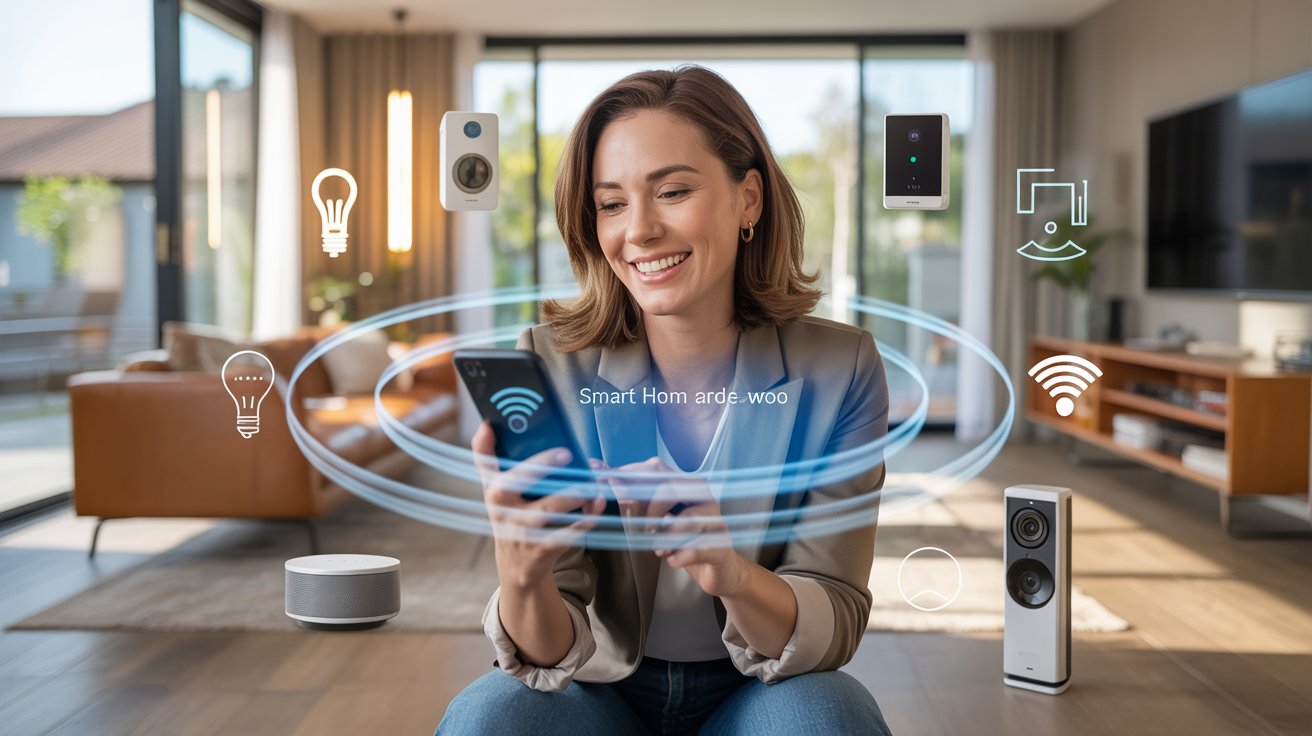
Remember when you had to get up just to turn off the lights or check if you locked the door? Annoying, right? Now, imagine your home takes care of those little things for you, and even handles a few you haven't thought about yet. That's what smart home technology does, and it's not science fiction—it's real, and it's a lot simpler than you think.
Smart home tech might sound fancy, but it's really about making everyday life less stressful. Maybe you want to keep your place safer, save money on bills, or just impress your friends by asking your lights to change color with your voice. Whatever your reason, the good news is you don't need to be a tech wizard to enjoy the perks. You'll learn the secrets of connected home devices, what they do, the benefits you get, and the roadblocks to watch for—plus how to get started, even if your only gadget is your phone.
What is Smart Home Technology, Really?
In plain English, smart home technology uses gadgets and apps to help your home run itself. Think about thermostats that know when you're away, lights you control with your voice, or a camera that lets you peek at your front door from work. These are all part of home automation systems.
- It's all about smart home automation—making stuff happen without you lifting a finger.
- Connected home devices talk to each other using Wi-Fi, Bluetooth, or sometimes special home signals.
- They work with apps or voice assistants like Alexa and Google Assistant.
Why care? It's not just for bragging rights. It's about less worry, more time, and sometimes, plain old fun.
Why Do People Love Smart Homes?
Ask anyone who's used smart home technology for a while, and they'll have a list. Main reasons?
- Security: Cameras and sensors can tell you if someone's messing with your stuff.
- Convenience: Forgot the lights? Your phone or voice can handle it. Lost your keys? A smart lock solves it.
- Saving money: Set your thermostat to use less energy when you’re not home—lower bills, less fuss.
- Peace of mind: Always know what's happening at home, even when you're miles away.
Don't fall into the trap of thinking you need to buy everything at once. Start with what bugs you most—maybe walking into a dark house or arguing over the thermostat. Fix that, then add more as you go.
What Can Smart Home Devices Do?
Honestly, there's almost too much. Here are the biggest categories, in regular words:
- Smart Lights: Control by app, voice, or set on schedules. Good for security, lazy days, or setting a mood.
- Thermostats: Learn what temperature you like, help you save on energy bills, and keep it comfy.
- Security Cams & Sensors: See who's at the door, get alerts if a window opens, or if there's a leak.
- Locks: Lock or unlock from anywhere. Hand out digital keys to friends or house-sitters.
- Speakers and Assistants: Play music, answer questions, and control everything by voice.
It's not all rainbows. Some folks get overwhelmed with too many apps or devices that don't play nice. My first try? I bought a smart plug for my coffee maker—then forgot to set the timer. Oops. Start simple, and don't expect perfection on day one.
How Do You Set Up Home Automation Systems?
Don't picture a server room with blinking lights. Setting up smart home automation today is as easy as installing an app and plugging stuff in.
- Pick a starting point: lights, thermostat, or security work best for beginners.
- Choose a main "hub" (like Google Home or Alexa), or stick with Wi-Fi gadgets you control by app.
- Follow the manufacturer's app—if you can set up a new phone, you can do this.
- Test each device before adding more. It's easier to fix problems when you're starting small.
What could go wrong? Stuff goes offline, or apps don't talk to each other. Sometimes you have to update firmware or, yeah, read the instructions. Don't panic. Most companies have simple videos and customer support that understands you're new.
Smart Home Security: How Safe Are These Gadgets?
Security matters even more when your house is online. Don't skip this—it keeps you safe.
- Use strong passwords: No 123456 or password1.
- Update devices regularly: Better security and fewer bugs.
- Stick to trusted brands: It's tempting to get the cheapest smart camera, but you want one that won't share your info with strangers.
There's always some risk with any connected device. The trick is managing it—just like you lock your door and don't hand your keys to a stranger.
Can You Really Save Money with Smart Home Benefits?
Short answer: Yes, but it depends. Gadget commercials promise huge bill savings, but that's if you use them wisely.
- Smart thermostats lower heating and cooling bills if you let them do their thing.
- Motion-sensing lights only come on when you really need them.
- Water leak sensors have saved more than one friend from a flooded basement.
It adds up. But the biggest benefit is making life less stressful—rarely do people regret making their home smarter, unless they try to do it all at once and burn out.
Biggest Mistakes People Make with Smart Homes
New tech is exciting, but it's easy to trip up. Watch for these:
- Buying gadgets that don't work together: Pick a system, then add devices built to play nice.
- Skipping security steps: Easy passwords make it easy for hackers.
- Overcomplicating things: Start small. Don't automate the whole house on day one.
- Not keeping apps updated: This fixes bugs and security holes.
If you keep it simple and check reviews, you'll avoid most problems.
How to Get Started—Even If You're Not a Tech Person
You're not alone if tech feels like another language. The trick is to pick one problem to solve first. Hate coming home to a dark house? Smart bulbs. Want to see who's at the door? Video doorbell. Worried about pipes freezing? Sensor. Add the app, follow quick setup steps, and ask a friend—or a teenager—if you get stuck. You don't need to redo your whole house overnight. One win at a time builds your confidence.
FAQs About Smart Home Technology
- Q: Is smart home technology hard to install?
A: Most connected home devices are made for regular people, not computer experts. You usually follow a step-by-step app, plug things in or screw them on, and connect to Wi-Fi. If you can set up a new phone or download apps, you'll be fine. The hardest part is sometimes figuring out which brand to trust. - Q: Do smart home devices really save money?
A: They can, especially things like smart thermostats and lights. These turn off when you're not around, so you use less energy. The savings add up, especially over a year. It's not magic, but it's real. - Q: Are smart homes safe from hackers?
A: If you use good passwords and keep your devices updated, they're pretty safe. Nothing is perfect, so never use default passwords and only buy from brands people trust. Setting up two-factor authentication adds another layer of safety. - Q: What happens if the Wi-Fi goes out?
A: Some smart devices stop working until they're back online. Lights and basic switches can still work if you flip them by hand, but some features like remote control or notifications will pause. Once Wi-Fi is back, things start working again. - Q: Do all smart home devices work together?
A: Not always. That's why it's smart to pick a system (like Alexa or Google) and stick to brands made to work with it. Otherwise, you could end up with three different apps and a lot of frustration. - Q: Can renters use smart home tech?
A: Yes! Most gadgets plug in, stick on, or screw in without drilling holes. When you move, take them with you. Look for "no tools" options to make life easier.
Here's the best part: You don't have to know everything or spend a fortune. Start simple. Pick one device. Try it, adjust, and add more when you feel ready. Over time, your everyday life gets easier, safer, and let's be honest—a little cooler. Even if you never thought of yourself as a "tech person," smart home technology fits right in. Give it a try. You'll be surprised how fast you get used to living in the future.










