



I remember when remote work exploded. Suddenly, my whole team was scattered—kitchens, garages, parks. It felt freeing, but cyber attacks started creeping in. One click on a bad link, and poof, data gone. Today, in 2026, securing your remote workforce isn't optional. Hackers evolve fast, targeting home setups. This guide shares real steps I've used to lock things down. From spotting risks to daily habits, it's practical stuff for any team. Let's make your secure remote workforce from cyber attacks, step by step.
Spotting Everyday Work from Home Security Risks
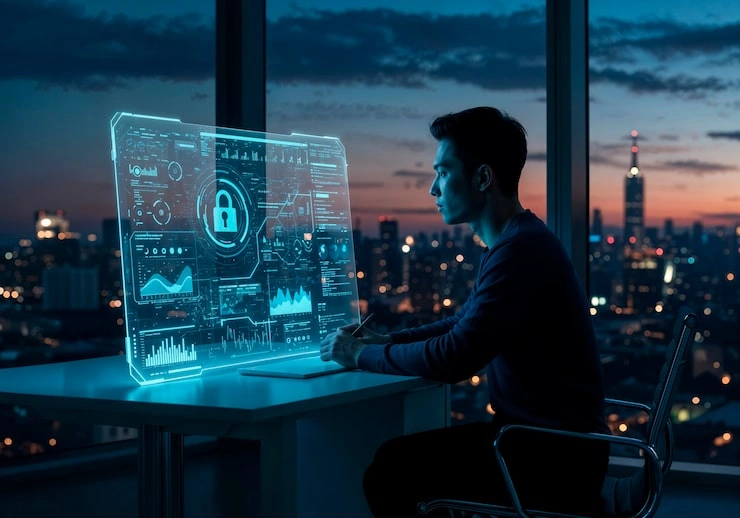
Picture this: your employee grabs coffee at a busy spot, logs in on free Wi-Fi. Hackers nearby snag passwords like picking pockets. That's a classic work from home security risk. Home routers often lack firewalls, and family devices share networks, mixing fun videos with company files. Phishing emails trick rushed workers. Ransomware locks screens demanding cash. I've seen breaches cost small teams thousands. Map your setup first—list devices, apps, habits. Awareness turns blind spots into defenses.
Key Takeaway: Everyday spots like cafes hide big threats; scout them out.
Read: How To Prevent Phishing Attacks At Home
Locking Down with VPN for Remote Teams
Last year, a client skipped VPNs. One public network hack wiped their client list. Don't repeat that. VPN for remote teams encrypts everything, like a secret tunnel. Data zips safely, invisible to snoopers. Pick one with easy apps—one tap to connect. Mandate it for work emails, drives, calls. Auto-kill if it drops, blocking leaks.
It slows threats without dragging speed. Test on all gadgets. Pair with trusted networks only for personal stuff. This builds remote access security solutions anyone can handle, even non-techies.
Key Takeaway: VPN is your team's invisible shield on any connection.
Strengthening Endpoint Security for Remote Workers
Endpoints are laptops, phones—gateways hackers love. A forgotten update? Instant weak spot. I once fixed a team's mess after malware spread via old software. Start with auto-updates and real-time antivirus. Encrypt drives; stolen gear stays useless.
Remote workforce security shines with management apps. Remotely lock or erase lost devices. Enforce screen timeouts, strong PINs. MFA adds a phone ping for logins—hackers hate it. Monitor quietly for weird patterns. Affordable tools fit startups perfectly.
Key Takeaway: Tough endpoints make remote workers hard to crack.
Safeguarding Remote Workforce Data Protection

Data lives everywhere now—clouds, drives, emails. Protect it or lose it. Use encrypted cloud spots with permission gates. Only let in who needs it. Daily backups to safe servers beat ransomware cold.
Spot sensitive files: contracts, lists. Tools flag risky sends. Audit access—who touched what? Cloud security for remote work verifies users nonstop. I've helped teams cut leaks 80% this way. Teach spotting leaks early.
Key Takeaway: Guard data fiercely; it's your business lifeline.
Your Go-To Remote Workforce Security Checklist for Small Businesses
Run this monthly to stay sharp:
-
Scan devices for updates and threats.
-
Confirm VPN and MFA are active.
-
Backup key files offsite.
-
Review user access rights.
-
Test phishing responses.
Stopping Phishing Attacks on Remote Workers
Phishing feels personal—fake bosses begging logins. Remote workers click fast amid distractions. How to prevent phishing attacks on remote workers? Pause, check sender, hover links. Grammar errors scream fake. Simulate attacks; praise spotters. Filters catch most, but train eyes. Extensions block bad sites. In 2026, smart tools learn your style. Share war stories—makes it stick.
Key Takeaway: Train to question; phishing loses its bite.
Training Employees on Remote Cybersecurity Habits
Training beats tech alone. I run quick huddles: "Fake IT calls—hang up." Videos of real scams engage. Quiz on passwords—long, mixed, unique.
Monthly refreshers, 15 minutes. Role-play hacks. Tools gamify it; leaderboards motivate. Remote desktop security best practices for companies include idle locks. Habits form fast.
Key Takeaway: Empowered people outsmart any cyber trick.
You May Also Like: 8 Cybersecurity Trends in Computer Technology Driving Zero Trust
Top Tools to Secure Remote Teams from Cyber Attacks
Grab these without breaking the bank:
-
Antivirus suites with remote control.
-
Password vaults for safe sharing.
-
Phishing trainers with reports.
-
Dashboards spotting odd logins.
Creating a Rock-Solid Secure Remote Working Environment
Pull it together: policies, tech, mindset. Zero-trust checks every access. Quarterly reviews adapt to new threats. Best cybersecurity practices for secure remote workforce from cyber attacks.
Celebrate wins—a clean audit party. Leaders live it. How to secure company data for remote employees? Consistent steps. Affordable remote workforce security solutions for startups exist aplenty.
Key Takeaway: Blend smarts and systems for unbreakable remote safety.
FAQs
What is the difference between sparkling wine and Champagne?
Origin and rules: sparkling wine anywhere, Champagne only French region with strict bottle method.
Is Champagne the same as sparkling wine?
No, it's a protected sparkling wine type from specific place and process.
Why is Champagne more expensive?
Hand-labor, low yields, aging—vs sparkling wine's efficient tanks.
Can sparkling wine be called Champagne?
Legally no, unless from Champagne France.










